Start from a loan officer's KnowMyLoan page
KnowMyLoan is offered through participating loan officers. Open their KnowMyLoan link, then upload the PDF your lender sent or take a photo of each page. No account to create.
AI reads the fees against national HMDA data and the rate against daily rate lock data, and it explains every line in plain English.
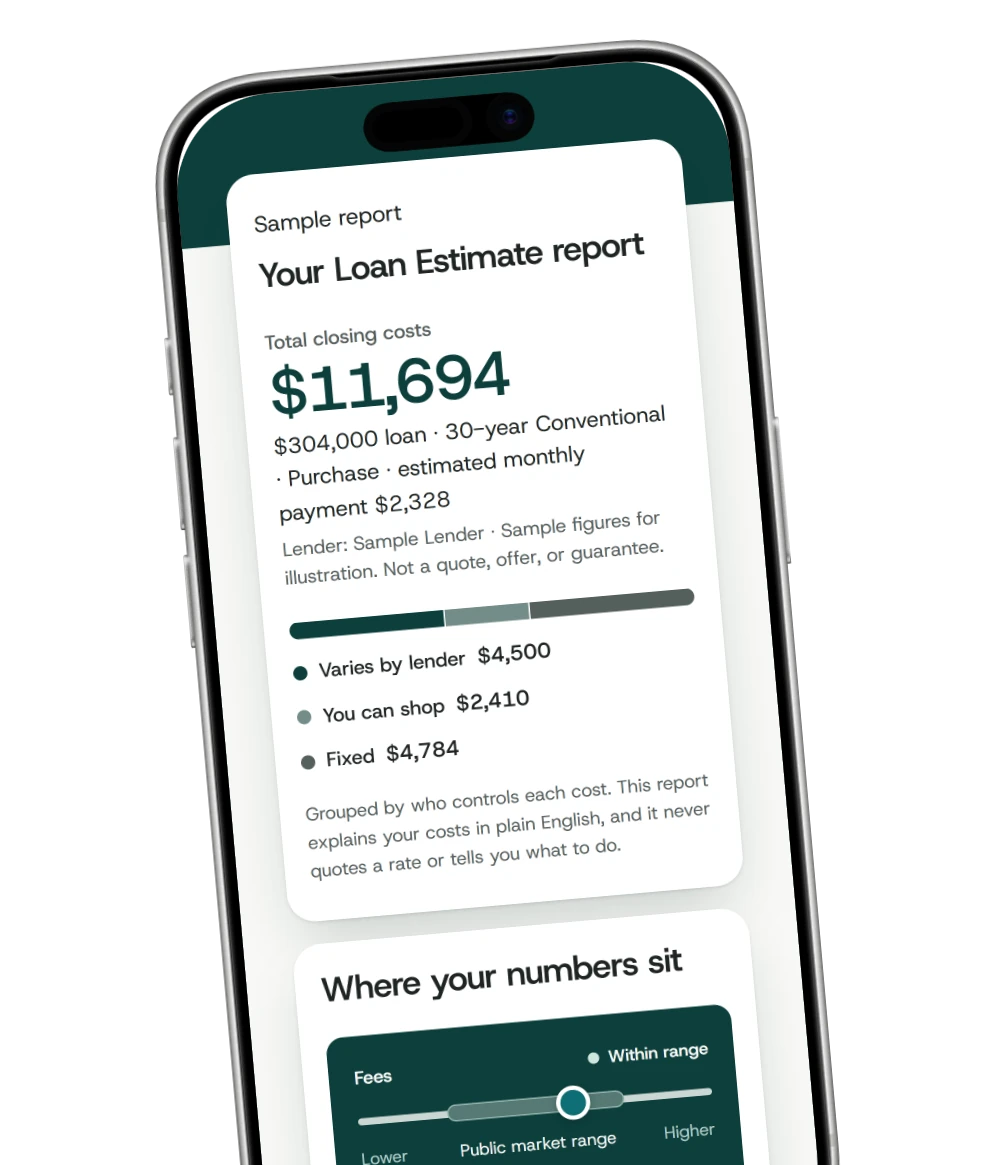
KnowMyLoan is offered through participating loan officers. If a loan officer sent you their KnowMyLoan link, this is what's waiting for you.
KnowMyLoan is offered through participating loan officers. Open their KnowMyLoan link, then upload the PDF your lender sent or take a photo of each page. No account to create.
Your lender fees are read against national HMDA data, and your rate is read against daily rate lock data.
AI breaks down every closing cost in plain English and groups each one by who controls it. A loan officer can also walk you through your options.
This walkthrough shows the exact report, built from a sample Loan Estimate.
An educational walkthrough using a sample document. Not a quote, offer, or guarantee.
When you upload your Loan Estimate on a loan officer's KnowMyLoan page, AI reads your lender fees against national HMDA data, which is what lenders reported on comparable loans. Rate is read against daily OBMMI rate-lock data, and adjusted for the exact loan scenario when available. AI also explains every line in plain English, and you can see how every number was reached.
No rate or APR is quoted, and we never sell your Loan Estimate, report, or contact details.
The breakdown helps you understand your costs. It is not a loan offer or financial advice.
Treat the analysis as a starting point and confirm anything important with a licensed professional.
Any rate, quote, or advice comes from a licensed loan officer. This tool helps you ask better questions.
The tool is offered to you through a licensed loan officer who pays for the software. You get the breakdown at no cost and with no obligation.
Your uploaded Loan Estimate plus publicly available market data, including public rate indices and published loan-level price adjustments. We show how the comparison is built.
No. It is educational. It does not quote a rate or recommend a loan. A licensed loan officer handles anything beyond understanding your costs.
Only you, unless you choose to ask the loan officer whose tool you used to review it. We never sell your Loan Estimate, report, or contact details.
Yes. There is a demo with a sample Loan Estimate so you can walk through a full report before you decide anything. See the sample report.
KnowMyLoan is offered through participating loan officers. You can send any loan officer this link.
Put KnowMyLoan on your own branded page, and AI grades the fees and the rate against real market data and explains every line. When potential borrowers want a second opinion, they ask you.